In web development, Cascading Style Sheets (CSS) is a stylesheet language used to describe the presentation of a document written in a markup language. Its most common application is to style web pages written in HTML and XHTML, but the language can be applied to any kind of XML document, including SVG and XUL.
CSS is used to help readers of web pages to define colors, fonts, layout, and other aspects of document presentation. It is designed primarily to enable the separation of document content (written in HTML or a similar markup language) from document presentation (written in CSS). This separation can improve content accessibility, provide more flexibility and control in the specification of presentation characteristics, and reduce complexity and repetition in the structural content. CSS can also allow the same markup page to be presented in different styles for different rendering methods, such as on-screen, in print, by voice (when read out by a speech-based browser or screen reader) and on Braille-based, tactile devices. CSS specifies a priority scheme to determine which style rules apply if more than one rule matches against a particular element. In this so-called cascade, priorities or weights are calculated and assigned to rules, so that the results are predictable.
The CSS specifications are maintained by the World Wide Web Consortium (W3C). Internet media type (MIME type) text/css is registered for use with CSS by RFC 2318 (March 1998).
Syntax
CSS has a simple syntax, and uses a number of English keywords to specify the names of various style properties.
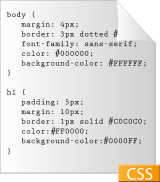
A style sheet consists of a list of rules. Each rule or rule-set consists of one or more selectors and a declaration block. A declaration-block consists of a list of semicolon-separated declarations in curly braces. Each declaration itself consists of a property, a colon (:), a value, then a semi-colon (;).[1]
In CSS, selectors are used to declare which elements a style applies to, a kind of match expression. Selectors may apply to all elements of a specific type, or only those elements which match a certain attribute; elements may be matched depending on how they are placed relative to each other in the markup code, or on how they are nested within the document object model.
In addition to these, a set of pseudo-classes can be used to define further behavior. Probably the best-known of these is :hover, which applies a style only when the user 'points to' the visible element, usually by holding the mouse cursor over it. It is appended to a selector as in a:hover or #elementid:hover. Other pseudo-classes and pseudo-elements are, for example, :first-line, :visited or :before. A special pseudo-class is :lang(c), "c".
A pseudo-class selects entire elements, such as :link or :visited, whereas a pseudo-element makes a selection that may consist of partial elements, such as :first-line or :first-letter.
Selectors may be combined in other ways too, especially in CSS 2.1, to achieve greater specificity and flexibility.[2]
[edit] Use of CSS
Prior to CSS, nearly all of the presentational attributes of HTML documents were contained within the HTML markup; all font colors, background styles, element alignments, borders and sizes had to be explicitly described, often repeatedly, within the HTML. CSS allows authors to move much of that information to a separate stylesheet resulting in considerably simpler HTML markup.
Headings (h1 elements), sub-headings (h2), sub-sub-headings (h3), etc., are defined structurally using HTML. In print and on the screen, choice of font, size, color and emphasis for these elements is presentational.
Prior to CSS, document authors who wanted to assign such typographic characteristics to, say, all h2 headings had to use the HTML font and other presentational elements for each occurrence of that heading type. The additional presentational markup in the HTML made documents more complex, and generally more difficult to maintain. In CSS, presentation is separated from structure. In print, CSS can define color, font, text alignment, size, borders, spacing, layout and many other typographic characteristics. It can do so independently for on-screen and printed views. CSS also defines non-visual styles such as the speed and emphasis with which text is read out by aural text readers. The W3C now considers the advantages of CSS for defining all aspects of the presentation of HTML pages to be superior to other methods. It has therefore deprecated the use of all the original presentational HTML markup.
[edit] Sources
CSS information can be provided by various sources. CSS style information can be either attached as a separate document or embedded in the HTML document. Multiple style sheets can be imported, and alternative style sheets can be specified so that the user can choose between them. Different styles can be applied depending on the output device being used; for example, the screen version can be quite different from the printed version, so that authors can tailor the presentation appropriately for each medium.
- Author styles (style information provided by the web page author), in the form of
- external stylesheets, i.e. a separate CSS-file referenced from the document
- embedded style, blocks of CSS information inside the HTML document itself
- inline styles, inside the HTML document, style information on a single element, specified using the "style" attribute.
- User style
- a local CSS-file specified by the user using options in the web browser, and acting as an override, to be applied to all documents.
- User agent style
- the default style sheet applied by the user agent, e.g. the browser's default presentation of elements.
One of the goals of CSS is also to allow users a greater degree of control over presentation; those who find the red italic headings difficult to read may apply other style sheets to the document. Depending on their browser and the web site, a user may choose from various stylesheets provided by the designers, may remove all added style and view the site using their browser's default styling or may perhaps override just the red italic heading style without altering other attributes.
File highlightheaders.css containing:
h1 { color: white; background: orange !important; }
h2 { color: white; background: green !important; }
Such a file is stored locally and is applicable if that has been specified in the browser options. "!important" means that it prevails over the author specifications..
[edit] History
Style sheets have existed in one form or another since the beginnings of SGML in the 1970s. Cascading Style Sheets were developed as a means for creating a consistent approach to providing style information for web documents.
As HTML grew, it came to encompass a wider variety of stylistic capabilities to meet the demands of web developers. This evolution gave the designer more control over site appearance but at the cost of HTML becoming more complex to write and maintain. Variations in web browser implementations made consistent site appearance difficult, and users had less control over how web content was displayed.
To improve the capabilities of web presentation, nine different style sheet languages were proposed to the W3C's www-style mailing list. Of the nine proposals, two were chosen as the foundation for what became CSS: Cascading HTML Style Sheets (CHSS) and Stream-based Style Sheet Proposal (SSP). First, Håkon Wium Lie (now the CTO of Opera Software) proposed Cascading HTML Style Sheets (CHSS) in October 1994, a language which has some resemblance to today's CSS. Bert Bos was working on a browser called Argo which used its own style sheet language, Stream-based Style Sheet Proposal (SSP). Lie and Bos worked together to develop the CSS standard (the 'H' was removed from the name because these style sheets could be applied to other markup languages besides HTML).
Unlike existing style languages like DSSSL and FOSI, CSS allowed a document's style to be influenced by multiple style sheets. One style sheet could inherit or "cascade" from another, permitting a mixture of stylistic preferences controlled equally by the site designer and user.
Håkon's proposal was presented at the "Mosaic and the Web" conference in Chicago, Illinois in 1994, and again with Bert Bos in 1995. Around this time, the World Wide Web Consortium was being established; the W3C took an interest in the development of CSS, and it organized a workshop toward that end chaired by Steven Pemberton. This resulted in W3C adding work on CSS to the deliverables of the HTML editorial review board (ERB). Håkon and Bert were the primary technical staff on this aspect of the project, with additional members, including Thomas Reardon of Microsoft, participating as well. By the end of 1996, CSS was ready to become official, and the CSS level 1 Recommendation was published in December.
Development of HTML, CSS, and the DOM had all been taking place in one group, the HTML Editorial Review Board (ERB). Early in 1997, the ERB was split into three working groups: HTML Working group, chaired by Dan Connolly of W3C; DOM Working group, chaired by Lauren Wood of SoftQuad; and CSS Working group, chaired by Chris Lilley of W3C.
The CSS Working Group began tackling issues that had not been addressed with CSS level 1, resulting in the creation of CSS level 2 on November 4, 1997. It was published as a W3C Recommendation on May 12, 1998. CSS level 3, which was started in 1998, is still under development as of 2008.
In 2005 the CSS Working Groups decided to enforce the requirements for standards more strictly. This meant that already published standards like CSS 2.1, CSS 3 Selectors and CSS 3 Text were pulled back from Candidate Recommendation to Working Draft level.
[edit] Difficulty with adoption
Although the CSS1 specification was completed in 1996 and Microsoft's Internet Explorer 3 was released in that year featuring some limited support for CSS, it would be more than three years before any web browser achieved near-full implementation of the specification. Internet Explorer 5.0 for the Macintosh, shipped in March of 2000, was the first browser to have full (better than 99 percent) CSS1 support, surpassing Opera, which had been the leader since its introduction of CSS support fifteen months earlier. Other browsers followed soon afterwards, and many of them additionally implemented parts of CSS2. As of July 2006, no browser has fully implemented CSS2, with implementation levels varying (see Comparison of layout engines (CSS)).
Even though early browsers such as Internet Explorer 3 and 4, and Netscape 4.x had support for CSS, it was typically incomplete and afflicted with serious bugs. This was a serious obstacle for the adoption of CSS.
When later 'version 5' browsers began to offer a fairly full implementation of CSS, they were still incorrect in certain areas and were fraught with inconsistencies, bugs and other quirks. The proliferation of such CSS-related inconsistencies and even the variation in feature support has made it difficult for designers to achieve a consistent appearance across platforms. Some authors commonly resort to using some workarounds such as CSS hacks and CSS filters in order to obtain consistent results across web browsers and platforms.
Problems with browsers' patchy adoption of CSS along with errata in the original specification led the W3C to revise the CSS2 standard into CSS2.1, which may be regarded as something nearer to a working snapshot of current CSS support in HTML browsers. Some CSS2 properties which no browser had successfully implemented were dropped, and in a few cases, defined behaviours were changed to bring the standard into line with the predominant existing implementations. CSS2.1 became a Candidate Recommendation on February 25, 2004, but was pulled back to Working Draft status on June 13, 2005, and only returned to Candidate Recommendation status on July 19, 2007.
In the past, some web servers were configured to serve documents with the filename extension .css as mime type application/x-pointplus. At the time, the Net-Scene company was selling PointPlus Maker to convert PowerPoint files into Compact Slide Show files (using the .css extension) and web servers were configured to signal to client browsers that these .css files were x-pointplus media type. Since the plugin was listed in the directory for Netscape Navigator 3.0, the popular Netscape Enterprise Server was distributed with this mapping pre-configured. When reading external style sheets some web browsers try to compensate for the misconfigured web servers by treating the PointPlus media type as a text/css media type instead, but some comply with the media type and will not render the external CSS file as a style sheet.
[edit] Variations
CSS has various levels and profiles. Each level of CSS builds upon the last, typically adding new features and typically denoted as CSS1, CSS2, and CSS3. Profiles are typically a subset of one or more levels of CSS built for a particular device or user interface. Currently there are profiles for mobile devices, printers, and television sets. Profiles should not be confused with media types which were added in CSS2.
The first CSS specification to become an official W3C Recommendation is CSS level 1, published in December 1996.[3] Among its capabilities are support for:
- Font properties such as typeface and emphasis
- Color of text, backgrounds, and other elements
- Text attributes such as spacing between words, letters, and lines of text
- Alignment of text, images, tables and other elements
- Margin, border, padding, and positioning for most elements
- Unique identification and generic classification of groups of attributes
The W3C maintains the CSS1 Recommendation.[4]
CSS level 2 was developed by the W3C and published as a Recommendation in May 1998. A superset of CSS1, CSS2 includes a number of new capabilities like absolute, relative, and fixed positioning of elements, the concept of media types, support for aural style sheets and bidirectional text, and new font properties such as shadows. The W3C maintains the CSS2 Recommendation.[5]
CSS level 2 revision 1 or CSS 2.1 fixes errors in CSS2, removes poorly-supported features and adds already-implemented browser extensions to the specification. While it was a Candidate Recommendation for several months, on 15 June 2005 it was reverted to a working draft for further review.[6] It was returned to Candidate Recommendation status on 19 July 2007.
CSS level 3 is currently under development.[7] The W3C maintains a CSS3 progress report. As with the evolving XHTML specification, CSS3 is modularized and will consist of several separate Recommendations. An Introduction to CSS3 roadmap will be the starting point.
While the only current use of the style type declaration is in style type="text/css", the W3C may later introduce a new style type that will make the style declaration less exclusive to style sheets.
[edit] Browser support
A CSS filter[8] is a coding technique that aims to effectively hide or show parts of the CSS to different browsers, either by exploiting CSS-handling quirks or bugs in the browser, or by taking advantage of lack of support for parts of the CSS specifications. Using CSS filters, some designers have gone as far as delivering entirely different CSS to certain browsers in order to ensure that designs are rendered as expected. Because very early web browsers were either completely incapable of handling CSS, or render CSS very poorly, designers today often routinely use CSS filters that completely prevent these browsers from accessing any of the CSS. Internet Explorer support for CSS began with IE 3.0 and increased progressivly with each version. By 2008, the first Beta of Internet Explorer 8 offered support for CSS 2.1 in its best web standards mode.
An example of a well-known CSS browser bug is the Internet Explorer box model bug, where box widths are interpreted incorrectly in several versions of the browser, resulting in blocks which are too narrow when viewed in Internet Explorer, but correct in standards-compliant browsers. The bug can be avoided in Internet Explorer 6 by using the correct doctype in (X)HTML documents. CSS hacks and CSS filters are used to compensate for bugs such as this, just one of hundreds of CSS bugs that have been documented in various versions of Netscape, Mozilla Firefox, Opera, and Internet Explorer (including Internet Explorer 7)[9]. [1]
Even when the availability of CSS-capable browsers made CSS a viable technology, the adoption of CSS was still held back by designers' struggles with browsers' incorrect CSS implementation and patchy CSS support. Even today, these problems continue to make the business of CSS design more complex and costly than it should be, and cross-browser testing remains a necessity. Other reasons for continuing non-adoption of CSS are: its perceived complexity, authors' lack of familiarity with CSS syntax and required techniques, poor support from authoring tools, the risks posed by inconsistency between browsers and the increased costs of testing.
Currently there is strong competition between Mozilla's Gecko layout engine, the WebKit layout engine used in Apple's Safari, the similar KHTML engine used in KDE's Konqueror browser, and Opera's Presto layout engine - each of them is leading in different aspects of CSS. As of 2007, Internet Explorer's Trident engine remains the worst at rendering CSS as judged by World Wide Web Consortium standards ([2] as linked from [3]). In April 2008 Internet Explorer 8 beta fixes many of these shortcomings and renders CSS 2.1. It nearly passes the ACID2 test.
[edit] Limitations
Some noted disadvantages of using "pure" CSS include:
- Inconsistent browser support
- Different browsers will render CSS layout differently as a result of browser bugs or lack of support for CSS features. For example Microsoft Internet Explorer, whose older versions, such as IE 6.0, implemented many CSS 2.0 properties in its own, incompatible way, misinterpreted a significant number of important properties, such as
width, height, and float[10]. Numerous so-called CSS "hacks" must be implemented to achieve consistent layout among the most popular or commonly used browsers. Pixel precise layouts can sometimes be impossible to achieve across browsers. - Selectors are unable to ascend
- CSS offers no way to select a parent or ancestor of element that satisfies certain criteria. A more advanced selector scheme (such as XPath) would enable more sophisticated stylesheets. However, the major reasons for the CSS Working Group rejecting proposals for parent selectors are related to browser performance and incremental rendering issues.
- One block declaration cannot explicitly inherit from another
- Inheritance of styles is performed by the browser based on the containment hierarchy of DOM elements and the specificity of the rule selectors, as suggested by the section 6.4.1 of the CSS2 specification.[11] Only the user of the blocks can refer to them by including class names into the
class attribute of a DOM element. - Vertical control limitations
- While horizontal placement of elements is generally easy to control, vertical placement is frequently unintuitive, convoluted, or impossible. Simple tasks, such as centering an element vertically or getting a footer to be placed no higher than bottom of viewport, either require complicated and unintuitive style rules, or simple but widely unsupported rules.
- Absence of expressions
- There is currently no ability to specify property values as simple expressions (such as
margin-left: 10% - 3em + 4px;). This is useful in a variety of cases, such as calculating the size of columns subject to a contains on the sum of all columns. However, a working draft with a calc() value to address this limitation has been published by the CSS WG,[12] and Internet Explorer 5 and all later versions support a proprietary expression() statement,[13] with similar functionality. - Lack of orthogonality
- Multiple properties often end up doing the same job. For instance,
position, display and float specify the placement model, and most of the time they cannot be combined meaningfully. A display: table-cell element cannot be floated or given position: relative, and an element with float: left should not react to changes of display. In addition, some properties are not defined in a flexible way that avoids creation of new properties. For example, you should use the "border-spacing" property on table element instead of the "margin-*" property on table cell elements. This is because according to the CSS specification, internal table elements do not have margins. - Margin collapsing
- Margin collapsing is, while well-documented and useful, also complicated and is frequently not expected by authors, and no simple side-effect-free way is available to control it.
- Float containment
- CSS does not explicitly offer any property that would force an element to contain floats. Multiple properties offer this functionality as a side effect, but none of them are completely appropriate in all situations. As there will be an overflow when the elements, which is contained in a container, use float property. Generally, either "position: relative" or "overflow: hidden"[14] solves this. Floats will be different according to the web browser size and resolution, but positions can not.
- Lack of multiple backgrounds per element
- Highly graphical designs require several background images for every element, and CSS can support only one. Therefore, developers have to choose between adding redundant wrappers around document elements, or dropping the visual effect. This is partially addressed in the working draft of the CSS3 backgrounds module,[15] which is already supported in Safari and Konqueror.
- Control of Element Shapes
- CSS currently only offers rectangular shapes. Rounded corners or other shapes may require non-semantic markup. However, this is addressed in the working draft of the CSS3 backgrounds module.[16]
- Lack of Variables
- CSS contains no variables. This makes it necessary to do a "replace-all" when one desires to change a fundamental constant, such as the color scheme or various heights and widths. This may not even be possible to do in a reasonable way (consider the case where one wants to replace certain heights which are 50px, but not others which are also 50px; this would require very complicated regular expressions). In turn, many developers are now using PHP to control and output the CSS file by either CSS @import/PHP require, or by declaring a different header in the PHP/CSS document for the correct parsing mode. The main disadvantage to this is the lack of CSS caching, but can be very useful in many situations.
- Lack of column declaration
- While possible in current CSS, layouts with multiple columns can be complex to implement. With the current CSS, the process is often done using floating elements which are often rendered differently by different browsers, different computer screen shapes, and different screen ratios set on standard monitors.
- Cannot explicitly declare new scope independently of position
- Scoping rules for properties such as z-height look for the closest parent element with a position:absolute or position:relative attribute. This odd coupling has two undesired effects: 1) it is impossible to avoid declaring a new scope when one is forced to adjust an element's position, preventing one from using the desired scope of a parent element and 2) users are often not aware that they must declare position:relative or position:absolute on any element they want to act as "the new scope". Additionally, a bug in the Firefox browser prevents one from declaring table elements as a new css scope using position:relative (one can technically due so, but numerous graphical glitches result).
[edit] Advantages
- Templating
- By combining CSS with the functionality of a Content Management System, a considerable amount of flexibility can be programmed into content submission forms. This allows a contributor, who may not be familiar or able to understand or edit CSS or HTML code to select the layout of an article or other page they are submitting on-the-fly, in the same form. For instance, a contributor, editor or author of an article or page might be able to select the number of columns and whether or not the page or article will carry an image. This information is then passed to the Content Management System, and the program logic will evaluate the information and determine, based on a certain number of combinations, how to apply classes and IDs to the HTML elements, therefore styling and positioning them according to the pre-defined CSS for that particular layout type. When working with large-scale, complex sites, with many contributors such as news and informational sites, this advantage weighs heavily on the feasibility and maintenance of the project.
- Ease of Maintenance
- When CSS is used effectively, in terms of inheritance and "cascading," a global stylesheet can be used to affect and style elements site-wide. If the situation arises that the styling of the elements should need to be changed or adjusted, these changes can be made easily, simply by editing a few rules in the global stylesheet. Before CSS, this sort of maintenance was more difficult, expensive and time-consuming.